




One dashboard. Hours back every week.
Planify's admin dashboard turns scattered replies into a single live view. Build schedules, send notifications, and track every confirmation from one screen — so you stop managing across five tabs and start getting your time back.
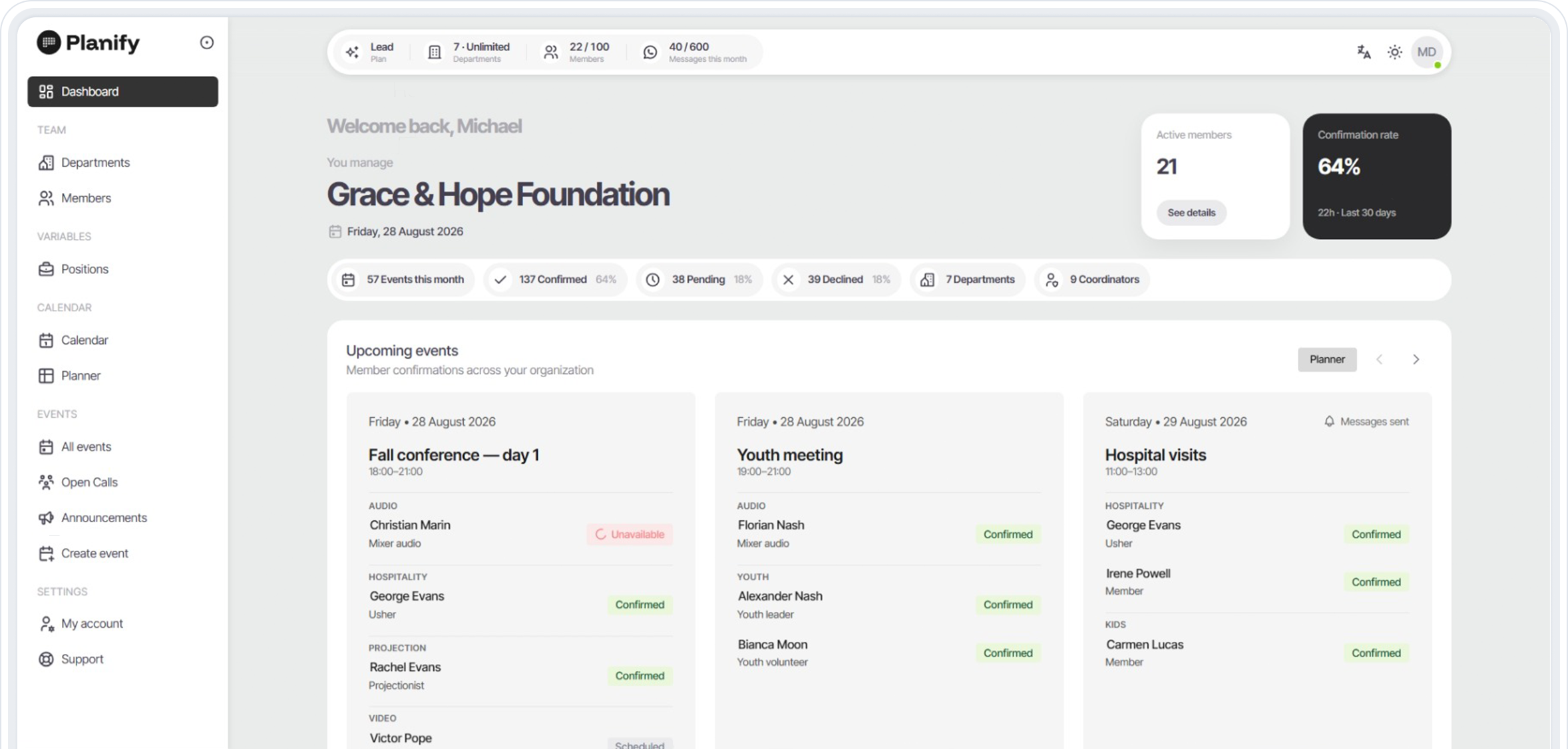
Everything you'd track by hand — done for you.
Each tool below removes one manual task from your week. Together, they turn hours of coordination into a few clicks.
Real-time confirmation tracker
Confirmed, declined, pending — updating live as your team taps. No refresh, no counting.
Drag-and-Drop scheduling
Events, roles, and your full team in one view. Build a schedule in minutes, not formulas.
One-click send
Push personalized WhatsApp notifications to every member at once. One click, zero manual messages.
Instant headcount
Exact numbers the moment you need them. Export or share before any event starts.
Saved templates
Reuse past schedules and roles in seconds. Recurring events set themselves up.
Auto-Replace flow
Someone declines? Lead plan notifies the next available member — no gap, no chasing.
*Indicates features unavailable in the Free version.
Your dashboard questions, answered.
Everything coordinators ask before switching to a real-time team scheduling dashboard — from saving time to handling declines and scaling across departments.
A team scheduling dashboard is a single screen where coordinators build schedules, send staff notifications, and track who's confirmed in real time. Planify's dashboard replaces spreadsheets, group chats, and manual calls — every response lands in one live view.
You build once and send once. Confirmations and declines update as the team replies on WhatsApp. You stop chasing headcount by hand.
Yes. The live confirmation tracker shows confirmed, declined, and pending members the instant they tap — no refresh needed. You always know your exact headcount before an event starts.
No. The admin dashboard runs in any web browser, and your team responds directly on WhatsApp. No downloads, no logins for members — just one screen for you and one tap for them.
Yes. Saved templates let you reuse past schedules, roles, and teams in seconds. Recurring events — weekly services, shifts, or meetings — set themselves up so you're not rebuilding from scratch.
From small teams to large organizations. The dashboard scales across departments and member counts depending on your plan. See exactly what fits your team on the pricing page.
See who is coming before the event starts.
Build the roster. They confirm with one tap. No app for your team.
- No credit card required
- No app to install